YFORGE / SETUP GUIDES
Beginner Gaming PC Setup: What to Buy and How to Set It Up
Plan your first gaming PC setup: budget split, key specs, peripherals, first-boot steps and desk ergonomics, with sourced numbers for US buyers.
YForge Gaming · November 27, 2026 · AI-assisted guide
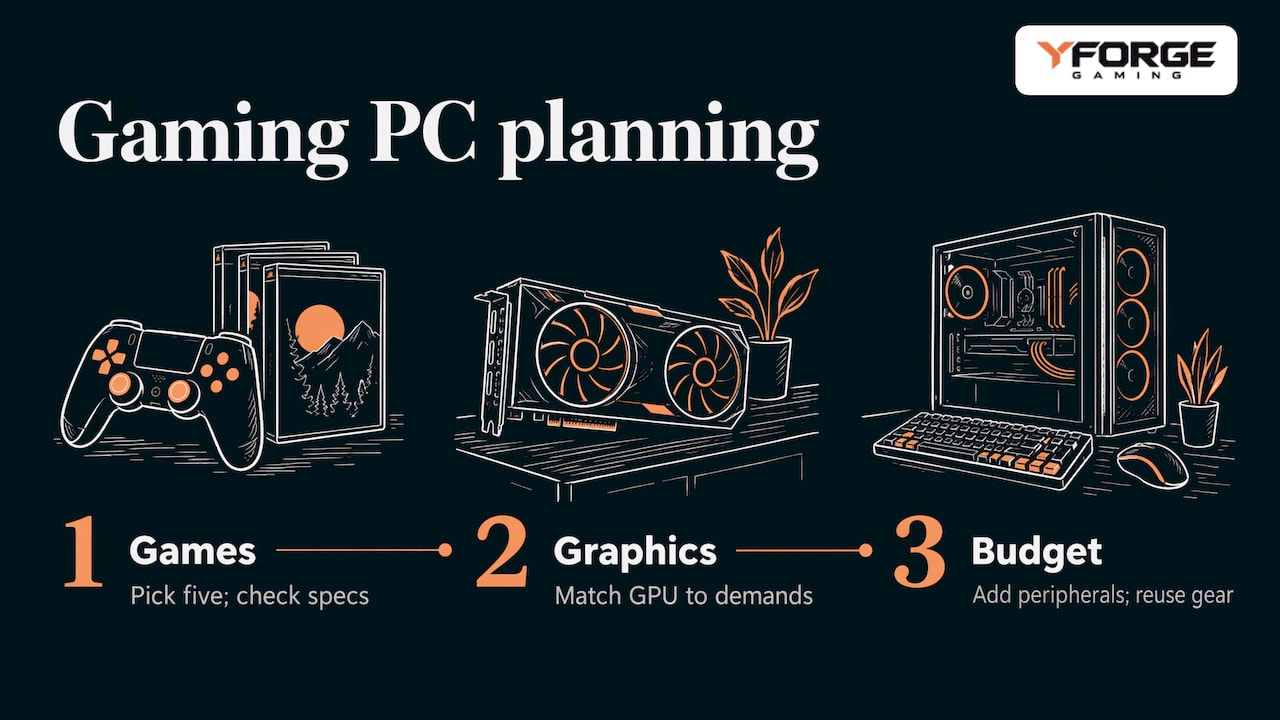
A good first gaming PC setup starts with the games you want to play, not the parts list. Pick your five games, set one budget that covers the tower, monitor and peripherals, then put the biggest share into the graphics card. We build custom gaming PCs and gaming desks at YForge, and the plan below is the one we would hand a friend buying their first rig.
TL;DR
- List the games you want to play first, then check each maker’s recommended specs. That tells you how strong a graphics card you need.
- Budget for the whole setup: tower, monitor, keyboard, mouse and headset. The tower alone is not the price.
- Aim for 16GB RAM, a 1TB NVMe SSD and a graphics card that gets roughly 35–40% of the build budget.
- Set up Windows, then the chipset and graphics drivers, then set your monitor to its full refresh rate.
- Arrange desk, chair and screen so your wrists are straight and the screen top sits at eye level.
Table of Contents
- Start with games and a total budget
- The parts that matter most
- Prebuilt or self-built
- Peripherals that earn their money
- First boot: Windows, drivers and settings
- Arrange the desk for comfort
- Your PC and desk from one place
- FAQ
- Sources
Start with games and a total budget
GamingPCGuru’s five-step roadmap begins with what you want to play and at what resolution and frame rate. Esports and older titles run on modest hardware. Modern single-player games and ray tracing (realistic lighting effects) need a stronger graphics card, or GPU.
Write down the five games you care about most and read their recommended specifications. Then set a total budget. Intel’s budget guide points out that a display, mouse, keyboard and possibly a headset all come on top of the tower. It also says older peripherals with the right connections can be reused.
If you want to see how the budget lines up with tiers, our guide to buying your first gaming PC walks through games first, then graphics, then price.
What a tight budget looks like
PC4Games’ May 2026 guide calls a complete all-new $550 setup tight but doable: about $350–$425 for a prebuilt tower, $100–$150 for a 24-inch 1080p monitor, $35–$50 for a headset, $25–$35 for a mouse and pad, and $20–$30 for a membrane keyboard. It notes those prices exclude 6–10% state sales tax.
At a higher level, PC Gamer priced a full setup under $1,100 in 2025: a prebuilt with an RTX 4060 and a 27-inch 1440p monitor for $1,000, plus a $23 mouse and a $70 mechanical keyboard. Prices move, so treat these as proportions, not quotes.
The parts that matter most
You do not need to master every component. Focus on these, using the figures from HP’s 2026 hardware guide and Lenovo’s starter guide:
| Part | What a beginner should look for |
|---|---|
| Graphics card (GPU) | The most important part. HP suggests 35–40% of the budget. |
| Processor (CPU) | Matched to the GPU tier. Lenovo suggests at least 4 cores and 8 threads. |
| Memory (RAM) | 16GB is the baseline. |
| Storage | NVMe SSD, 512GB at minimum and 1TB preferred. |
| Power supply | Enough wattage with headroom and an 80+ efficiency rating. |
| Cooling | Air cooling is enough for entry and mid builds. |
Newegg’s buying guide adds the reason to stay balanced: a well-matched CPU and GPU beat spending nearly everything on one part. Fast competitive games lean on the CPU for steady frame rates, while demanding high-resolution games lean on the GPU.
PC Gamer’s first-PC guide says RAM is easy to add later, so 16GB now and a second stick later saves money. It also advises against a hard drive as main storage and prefers NVMe over SATA SSDs.
Budget tiers in plain terms
GamingPCGuru describes three tiers. Entry is 1080p esports and older games with a 6-core CPU, 16GB RAM and a 500GB–1TB SSD. Mid-range is 1080p high settings or 1440p with a current-generation card and 16–32GB of DDR5. High-end is 1440p high refresh or 4K with 32GB and 2TB of storage. Most first-time buyers belong in the first two.
Prebuilt or self-built
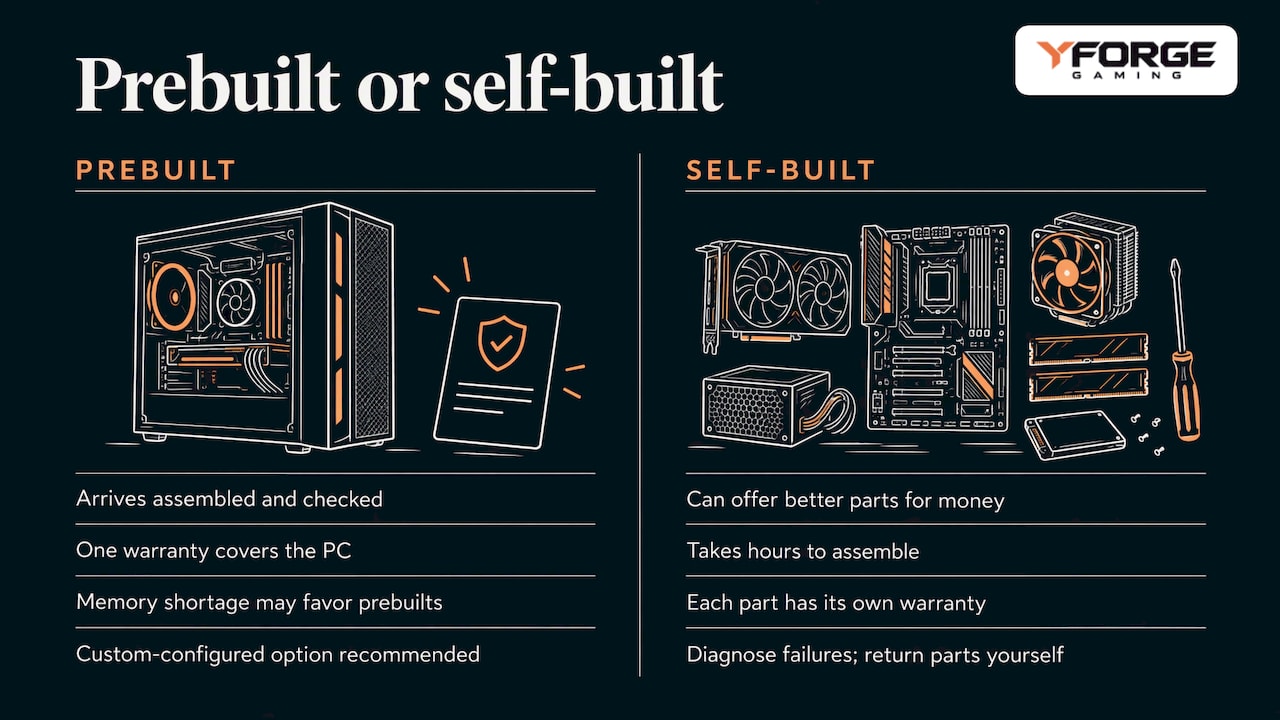
A prebuilt arrives assembled and checked, under one warranty. A self-build can give better parts for the money but takes hours, and each part has its own warranty, as GamingPCGuru’s comparison explains. With a self-build you also diagnose failures and return individual parts yourself, as Tom’s Hardware notes.
Memory prices in 2026 push the same way. Engadget’s Dave Meikleham argues prebuilts may be the better buy this year because of the memory shortage, and says he would not recommend self-assembling in the current climate.
For a first PC, we suggest a custom-configured prebuilt. YFORGE Computers start from $1,000, and you can either pick a complete build for your budget or customize individual components. Each PC is assembled and tested by us before it ships. Our page on prebuilt PC customization shows what you can change, and gaming PCs under $1,000 lists the entry options.
Peripherals that earn their money
GamingPCGuru’s starter list is a good filter:
- Monitor: 1080p or 1440p at 144Hz or higher with adaptive sync, matched to what your GPU can drive.
- Mouse: comfortable shape matters more than headline DPI.
- Keyboard: mechanical or membrane, in a layout you will use daily.
- Headset: comfortable with a clear microphone. Stereo is fine.
- Mouse pad: large and smooth, a cheap upgrade with a real effect.
Black Friday shows how low entry prices go. PC Gamer’s 2026 live coverage listed a wired Razer mouse at $14.99 and a 24-inch 144Hz IPS monitor at $74.99. Deals like these end, so use them as a sense of range, not a target.
First boot: Windows, drivers and settings
If you buy a prebuilt, you start the preinstalled Windows and follow the steps below. If you build, Intel’s guide says to prepare a large uncarpeted work surface, a Phillips #2 screwdriver and an 8GB USB drive for the Windows installer.
- Plug the monitor into the graphics card, not the motherboard. GamingPCGuru lists this as a common beginner mistake, along with single-stick RAM.
- Run Windows Update until it finishes.
- Install drivers: the chipset driver first, then the GPU driver from NVIDIA, AMD or Intel. MacMyths advises installing only the drivers your hardware needs, then checking Device Manager for unknown devices.
- Enable the memory profile (XMP or EXPO) in BIOS so RAM runs at its rated speed. Linus Tech Tips also reminds first-timers that reaching the BIOS screen does not prove every part is healthy.
- Set the monitor to its top refresh rate in Windows display settings and turn on Game Mode.
- Install launchers such as Steam, Epic or the Xbox app, and turn on two-factor sign-in.
A PC built and tested by us arrives assembled, so you skip the hours of assembly and go straight to steps 2 through 6. If a machine ever restarts on its own, see what to check when a computer keeps restarting.
Arrange the desk for comfort
A new PC deserves a setup you can sit at for hours. The Cleveland Clinic’s gamer’s health guide recommends:
- Backrest slightly past 90° with lumbar support, thighs supported and feet flat on the floor or a footrest.
- Monitor at arm’s length with the upper third of the screen at eye level.
- Keyboard flat, centered, wrists straight.
- Mouse close to the keyboard.
- A 20-second break every 20 minutes to look at something 20 feet away.
UCLA’s ergonomics program gives similar numbers: elbows at 100°–110° and the mouse as close to the keyboard as possible.
Desk size matters too. Refined Space calculates that 30 inches of desk depth is the working minimum, and a 24-inch depth fails every 27-inch screen. A 27-inch 1440p monitor works best at about 32 inches from your eyes.
For a bigger room plan, see our bedroom gaming setup guide.
Your PC and desk from one place
We sell gaming PCs and handcrafted gaming desks with original artwork and ergonomic designs. YGAMERDESK starts from $499, and a custom gaming desk is $799. You can browse both on our products page, or see the custom gaming desk.

If you live in Massachusetts and want a whole room done, we also offer game room design and decoration through our services. Our free 3D room planner lets you lay out walls and lighting first.
FAQ
How much should a beginner spend on a gaming PC setup?
It depends on your games and monitor. A complete 1080p setup can be done for roughly $550 with a prebuilt, according to PC4Games, while a 1440p setup runs closer to $1,100 in PC Gamer’s example. Our PCs start from $1,000.
Is 16GB of RAM enough for a first gaming PC?
Yes. Newegg, PC Gamer and Lenovo all treat 16GB as the baseline, and it can be expanded later. Install it as two sticks for dual channel.
What do I need besides the tower?
A monitor, keyboard, mouse and ideally a headset and mouse pad. Intel notes you can reuse older peripherals that have the right connections.
Should I spend more on the GPU or the CPU?
The GPU. HP recommends 35–40% of the budget for it, with the CPU matched to its tier so neither part holds the other back.
Sources
- GamingPCGuru: How to Get Into PC Gaming
- Intel: Finding the Right Budget Gaming PC
- Intel: How to Build a Gaming PC
- PC4Games: Complete $550 gaming setup
- PC Gamer: Full gaming PC setup under $1,100
- HP: Gaming Hardware Guide 2026
- Lenovo: Starter PC for Gaming
- Newegg: Gaming Desktop PC Buying Guide
- PC Gamer: How to buy your first gaming PC
- Tom’s Hardware: Build or Buy a Gaming PC
- Engadget: Why Prebuilt PCs Might Be A Better Buy In 2026
- PC Gamer: Black Friday live 2026
- MacMyths: New Gaming PC Setup
- Linus Tech Tips: First-time build guide
- Cleveland Clinic: Gamer’s Health Guide
- UCLA Ergonomics: 4 Steps to Set Up Your Workstation
- Refined Space: Gaming Desk Dimensions
Recommended
THE COMMUNITY
Join the conversation.
Have a question or an idea? Share it with the community.
Loading discussion…